A test asserting that filled adds bg-gray-400 fails the moment someone renames the class, even though nothing about the rendered component changed.
Frontend testing meant Jest and Testing Library for a long time, and then Storybook added interaction tests and Playwright added component tests. With more ways to verify UI in a real browser, the question of what a test should prove matters more than the choice of tool.
Storybook play functions
A Storybook story can define user interactions and assertions in its play function. Today, storybook/test integrates Vitest and Testing Library so that a story can run as a browser-based test case.
import { expect, userEvent, within } from "storybook/test";
import type { Meta, StoryObj } from "@storybook/react";
import { Checkbox } from "./Checkbox";

const meta = {
  component: Checkbox,
} satisfies Meta<typeof Checkbox>;

export default meta;
type Story = StoryObj<typeof meta>;

export const Default: Story = {
  args: { id: "greeting" },
  play: async ({ canvasElement }) => {
    const canvas = within(canvasElement);
    const checkbox = canvas.getByRole("checkbox");

    await userEvent.click(checkbox);
    await expect(checkbox).toBeChecked();
  },
};
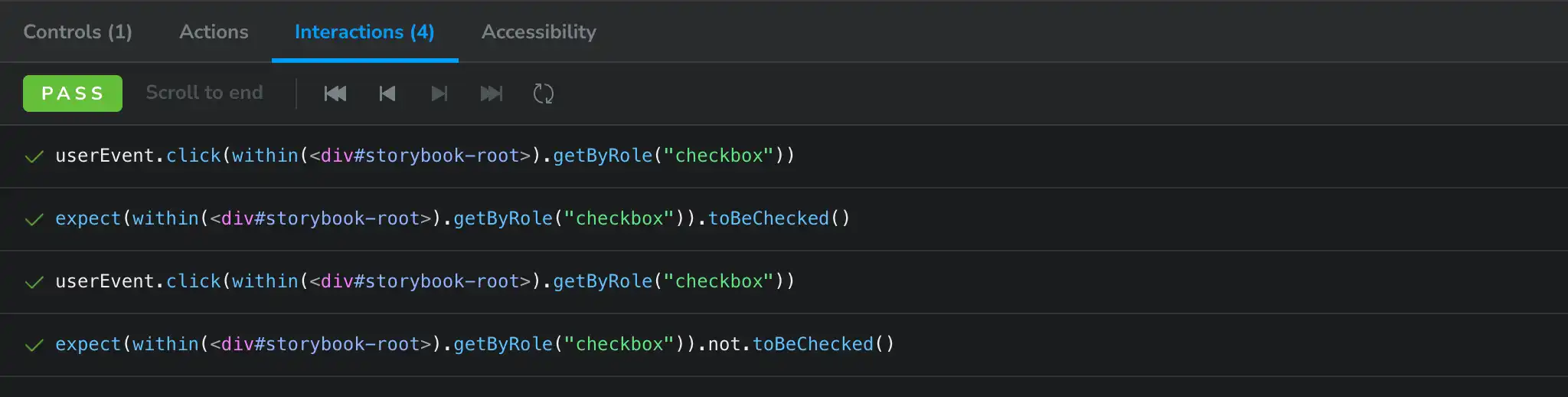
The result appears in Storybook’s Interactions panel.
The satisfies operator checks the metadata without discarding story-specific inference. TypeScript can therefore report missing required props while keeping the story pleasant to author.
Splitting an interaction into steps
Use step to divide a flow into meaningful units. The following story checks internal and external links separately.
export const Links: Story = {
  render: () => (
    <div className="flex gap-4">
      <Link href="/articles">Internal link</Link>
      <Link href="https://example.com/">External link</Link>
    </div>
  ),
  play: async ({ canvasElement, step }) => {
    const canvas = within(canvasElement);

    await step("renders an internal link", async () => {
      const link = canvas.getByRole("link", { name: "Internal link" });
      await expect(link).toHaveAttribute("href", "/articles");
    });

    await step("opens an external link in a new tab", async () => {
      const link = canvas.getByRole("link", { name: "External link" });
      await expect(link).toHaveAttribute("href", "https://example.com/");
      await expect(link).toHaveAttribute("target", "_blank");
      await expect(link).toHaveAttribute("rel", "noopener noreferrer");
    });
  },
};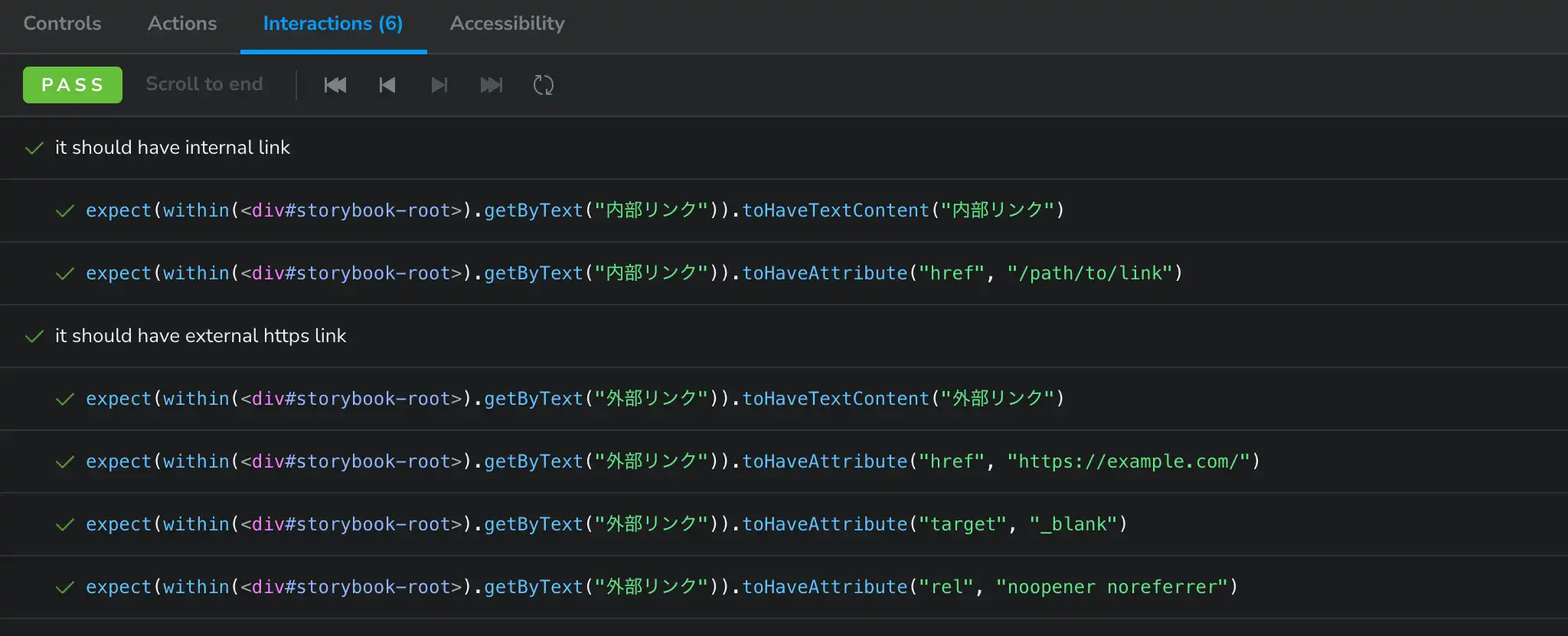
Naming steps in the language of user behavior makes failures easier to understand. Queries based on accessible names and roles also test the interface people use, rather than an implementation detail such as a class name.
Playwright component tests
Playwright provides experimental component testing for frameworks including React and Vue. Components are mounted in a real browser and tested with the same Locator and assertion APIs used by Playwright Test.
import { expect, test } from "@playwright/experimental-ct-react";
import { Form } from "./Form";

test("accepts a username", async ({ mount }) => {
  const component = await mount(<Form />);
  const username = component.getByLabel("Username");

  await username.fill("john");

  await expect(username).toHaveValue("john");
});
Running in a real browser lets the test cover layout and browser APIs. There is also an important boundary: the test runs in Node.js while the component runs in the browser. Some complex objects and synchronous callbacks cannot cross that boundary, so check whether the constraints fit the project before adopting it.
Decide what the test should prove
Whether we choose Storybook or Playwright, the tool should follow the question. I divide component concerns into three groups:
- How props and state change the appearance
- Whether required interactions and behavior work
- Whether the component works in the target browsers
Visual variants
If a Label supports filled and outlined, a story for each state makes the difference easy to inspect. The class-name assertion from the opening ties the test to an implementation detail and guarantees nothing about the intended visual result. Stories are useful for reviewing states; Visual Regression Testing (VRT) can protect important visual differences.
User interactions
For a form, test that the necessary fields exist and that input and submission lead to the expected result. Storybook keeps the state catalog and interaction test together. Playwright becomes especially useful when the test needs broader browser control or network interception.
Pure functions and Hooks do not all need browser tests. Keep fast, deterministic checks in a unit-test runner such as Vitest, and pay the cost of a real browser where it adds real confidence.
Browser differences
Playwright can run a test against Chromium, Firefox, and WebKit projects. Automated assertions still cannot find every visual problem.
Use assertions for behavior, VRT for unintended visual changes, and human review for the final quality of an interface. Each catches a different class of problem.
Closing note
As testing tools multiply, adopting a tool can become the goal. Decide which experience needs protection and what a regression would cost, then choose the cheapest test that reduces that risk. Storybook and Playwright are both useful options in that decision.